
Introducing Memtest86+ v9.00! Click to show the full changelogClick to hide the changelog
Click to show the full changelogClick to hide the changelog
NEW
ARM64 (AArch64) Now Supported!
Memtest86+ now runs on ARM64 platforms supporting UEFI and ACPI! Aarch64 support has
currently been tested on Qualcommm Snapdragon X laptop, Raspberry Pi 4 & 5 (with
community UEFI firmware) and QEMU.
x86
x86-64
LoongArch64
ARM64
NEW
Save Report to USB Drive
Writing reports to USB drive was probably the most wanted feature. Press F6 to save
a full-text report with system information, memory modules and testing results to a
FAT32-formatted USB drive. Each saved report will have its own number, so previous
reports won't be overwritten.
NEW
Redesigned Test Algorithms
Memtest86+ tests have been reworked to detect errors faster, and optimized to find more complex failures.
SIMD Tests on 64-bit CPUs
NEW
Along with the new Bus stress test (see below),
the old random-sequence moving test has been converted to SIMD to benefit from
larger vectors instructions. Both use non-temporal stores that bypass the CPU
caches and write to the main memory directly, resulting in significantly higher
memory access/traffic than scalar tests.
x86-64
AVX2 256-bit
ARM64
NEON 128-bit
LA64
LASX 256-bit
x86-64: SSE2 128-bit fallback on older CPUs
Bus Stress Test
NEW
This new test targets common bus interface weaknesses on
modern era plaform (DDR5+) while still being demanding on older architecture.
The sequence keeps switching between write-bursts and read-checks while also
inserting idle periods to create load transitions on the PMIC of the module
(which can't be corrected by on-die ECC). This can uncover interface-related
faults like signal integrity failures due to electrical noise or voltage drops,
or XMP/EXPO training issues. This is exactly what an unstable overclocked
DDR5 kit (or high density server motherboards) may show in real-world.
Improved Bit Fade Test
In addition to the previous 0s and 1s bit fills, the
final test on a pass includes a new random sequence. Every DRAM cell is now filled
with random date while its adjacent neighbor carry the opposite charge.
All CPU Cores now charge and verify the memory cells simultaneously.
Rowhammer (Test #11)
NEW
Manually Enabled
Target Row Refresh (tRR)
is a feature in modern DIMMs that defeats the classic double sided hammer .
This test uses Blacksmith-style patterns from recent 2022 research with
non-uniform, many-sided, and synchronized with DRAM refresh.
It infers memory row layout from access timing ('DRAMA-lite' approach).
Errors are reported but not included in BadRAM patterns.
Serial Log for Automation
The
log= boot parameter allows for one line of machine-parsable output to be
produced for each event during the test: start, system information, pass and progress
through the tests, and errors. These lines are easy to parse but still human-readable.
In addition to the new maxpasses= option (restart after N passes),
Memtest86+ can now be run headlessly in test lab environments and CI build systems.
SPD Integrity Check
Checksum/CRC of the SPD of each memory module (DDR5, DDR4, and older) is now verified,
and bad memory modules are marked as
BAD CRC!. A corrupted SPD could lead to hanging
of some motherboards during POST, but most utilities don't pay attention to that.
Memtest86+ detects it. It can be turned off by the nospdcrc boot parameter.
Memory Info from DMI When SPD Is Unavailable
On some platforms (eg: laptops, desktops from big OEMs, ARM boards), reading the SPD data
is unavailable due to SMBus being locked or inaccessible. Memtest86+ now uses SMBIOS
data as a fallback to display infos about the memory module (size, type, speed, and model number).
Misc. Improvements & Bug Fixes
- 100+ new DRAM brands detected
- Support for new platforms (eg: Intel Wildcat Lake)
- Fixed random hangs in x2APIC SMP mode
- Better CPU Temperature reporting on Server platforms (eg: EPYC)
- Various bug fixes (cache detection, USB and keyboard handling, etc.)
Memtest86+ is a free, open-source, stand-alone memory tester for IA-32, x86-64, ARM64, and LoongArch64 systems
It provides a more thorough memory check than that provided by BIOS memory tests. On x86 systems, Memtest86+ can be loaded and run either directly by a PC BIOS (legacy or UEFI) or via an intermediate bootloader that supports the Linux boot protocol. It should work on any Pentium-class or later 32-bit x86 CPU, any 64-bit x86 CPU, most ARMv8-A AArch64 CPUs (UEFI and ACPI only), and supported Loongson LA64 systems.
It provides a more thorough memory check than that provided by BIOS memory tests. On x86 systems, Memtest86+ can be loaded and run either directly by a PC BIOS (legacy or UEFI) or via an intermediate bootloader that supports the Linux boot protocol. It should work on any Pentium-class or later 32-bit x86 CPU, any 64-bit x86 CPU, most ARMv8-A AArch64 CPUs (UEFI and ACPI only), and supported Loongson LA64 systems.
Licensing
General Public License v2
Memtest86+ is a unified, free, open-source memory testing tool,
released under GNU GPL v2.0. The new v6 code base (originally called PCMemTest) was
provided by Martin Whitaker, based on Memtest86+ v5, developed by Sam Demeulemeester.
Both are now working on Memtest86+.
Memtest86+ is not an edition of Memtest86, which since 2013 has been closed-source `Freemium` software owned by PassMark Software Pty Ltd.
Memtest86+ is not an edition of Memtest86, which since 2013 has been closed-source `Freemium` software owned by PassMark Software Pty Ltd.
Screenshots
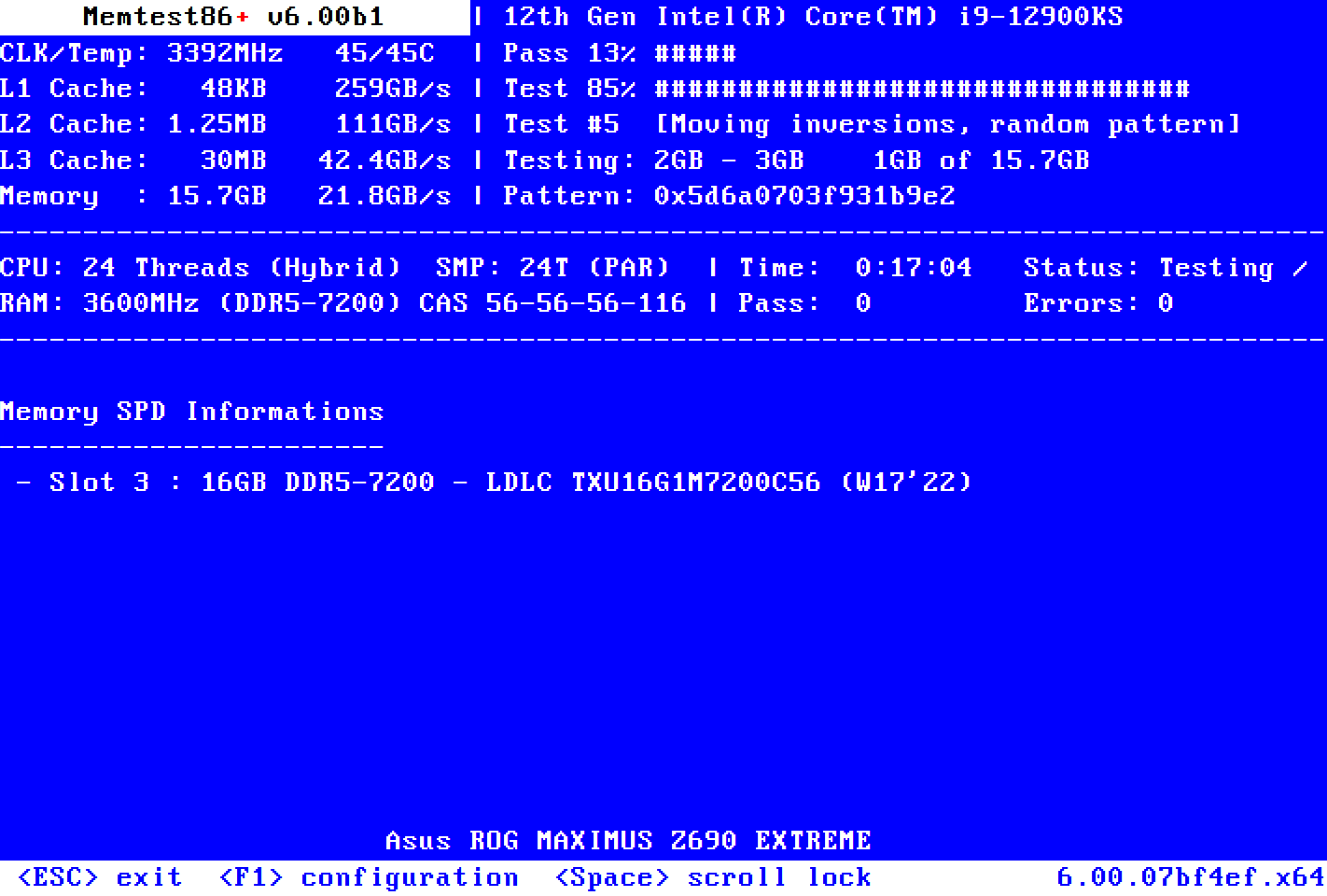
Memtest86+ v9
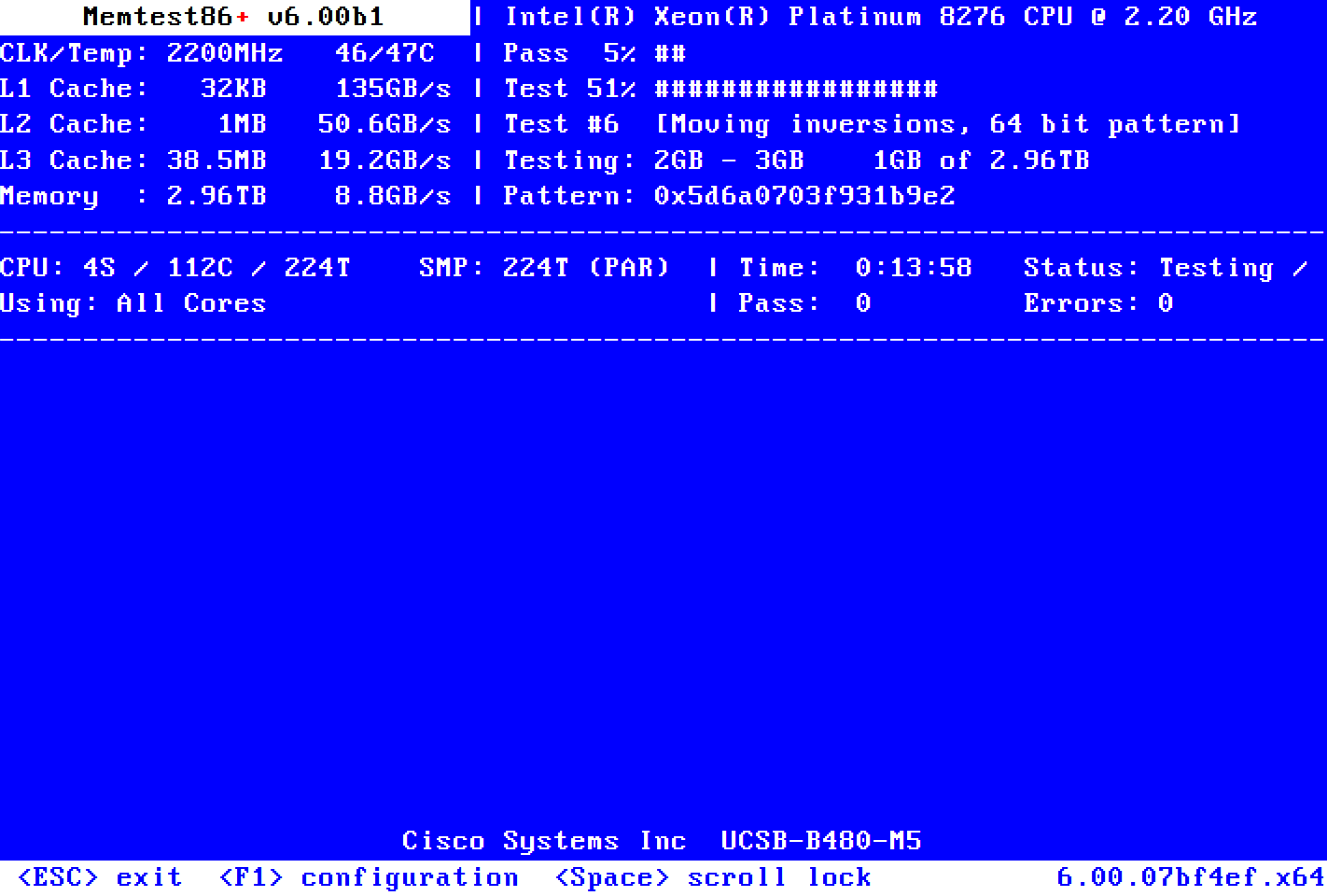
[ARM64] Raspberry Pi 5
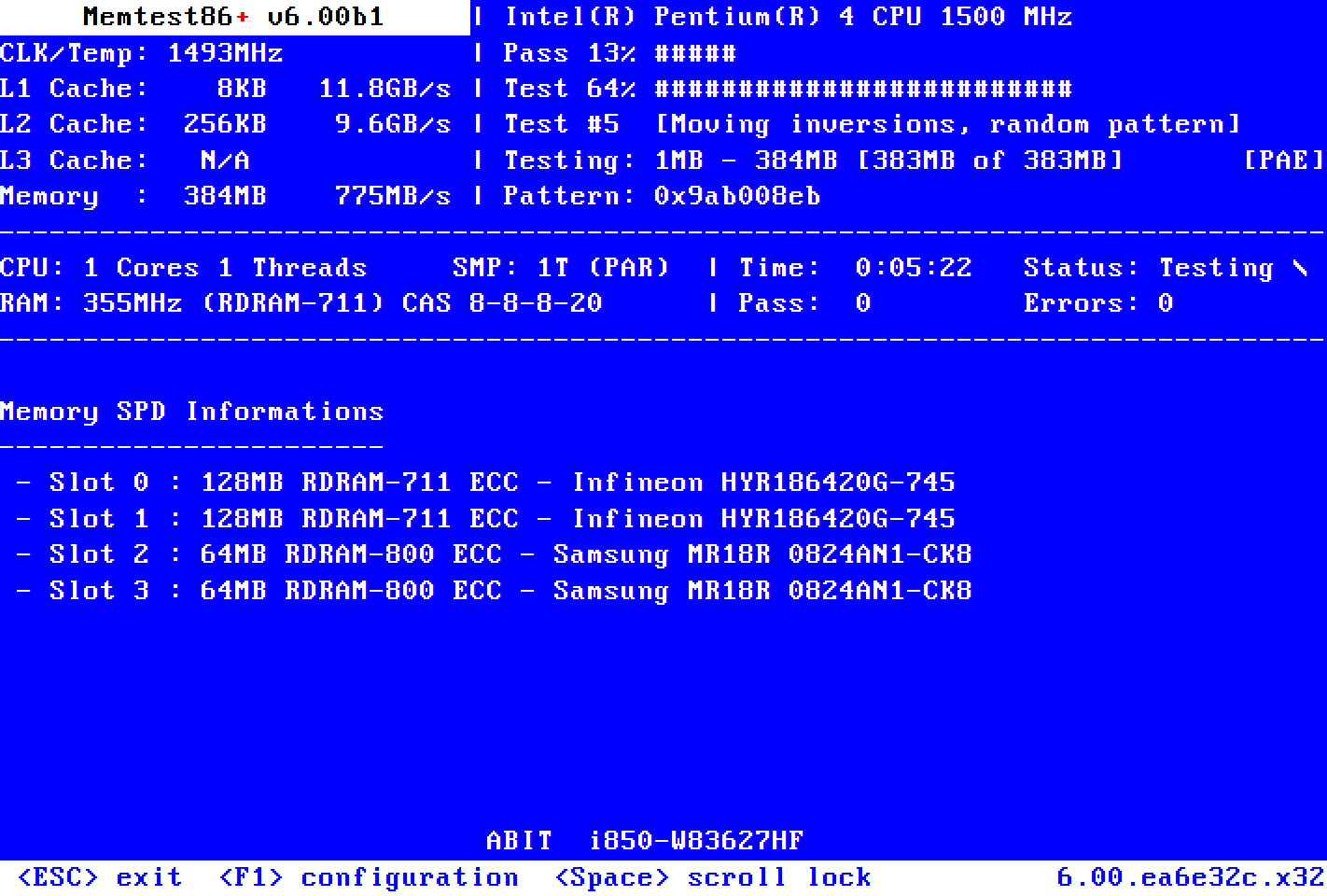
[Retro] Rambus RDRAM on Pentium 4
Why test your RAM?

Troubleshoot PC Instabilities
Memory errors are one of the most common causes of crashes, freezes and instabilities. If you encounter such issues with your computer, testing your RAM thoroughly is probably the first thing to do. Memtest86+ uses various algorithms to reliably detect failures. It will let you know if your RAM is faulty or not.
Memory errors are one of the most common causes of crashes, freezes and instabilities. If you encounter such issues with your computer, testing your RAM thoroughly is probably the first thing to do. Memtest86+ uses various algorithms to reliably detect failures. It will let you know if your RAM is faulty or not.
Ensure Initial Stability
Before using your brand-new PC, putting your new server into production, or after having overclocked your CPU or RAM, it's often wise to make sure there are no memory issues. Troubleshooting issues later can be annoying, costly, and time-consuming.
Before using your brand-new PC, putting your new server into production, or after having overclocked your CPU or RAM, it's often wise to make sure there are no memory issues. Troubleshooting issues later can be annoying, costly, and time-consuming.
Frequently Asked Questions (FAQ)
This FAQ covers the main issues with Memtest86+. Please also read the full README if you don't find an appropriate answer.
Installation on Removable Media
How to create a bootable Memtest86+ USB Drive using Windows?
Plug a standard FAT32-formatted USB Drive, download and launch the Windows USB Installer and follow the quick steps. Reboot your computer and select the USB Drive in your Boot Menu.
How to create a bootable Memtest86+ USB Drive using Linux?
The ISO image must be written directly ('dumped') to the raw device, either by using the dd command or by
using a utility that provides the same functionality like balenaEtcher.
How to create a bootable Memtest86+ USB Drive using MacOS
We recommand balenaEtcher to burn the image to a USB Flash Drive under MacOS.
PS: Using the Restore function in Apple's Disk Utility does not work.
Which media are supported?
Memtest86+ can be run from a USB Flash Drive (FAT32 formatted), CDROM drive (by burning the ISO to a blank disk) or Network boot (PXE). If you need a floppy image, use the "make iso" command to generate a 'floppy.img' file
Booting Issues
I can't boot because of a "Secure Boot Violation"
Memtest86+ v9.00 and newer are signed, but not by Microsoft yet. Either add our CA certificate to your firmware's db without replacing the existing keys (instructions, fingerprint), or temporarily disable Secure Boot in your BIOS options.
Memtest86+ does not launch.
To boot from a USB Flash Drive instead of your hard drive, you must select it using the Boot Menu. The Boot Menu is usually available by pressing F8, F12 or ESC at early startup. Please check your PC/motherboard manual.
Can I launch Memtest86+ using PXE?
Yes. Just use memtest.bin (for BIOS PXE) or memtest.efi (for UEFI PXE) as payload for iPXE or PXELINUX. Don't forget to disable Secure Boot.
My USB keyboard does not work
Memtest86+ USB drivers are work in progress. Not all USB devices are supported yet, and there may be problems on some hardware. Please submit a bug report with detailed information.
Troubleshooting RAM Errors
I got errors! What's next?
Once a memory error has been detected, determining the failing module is not a clear-cut procedure. If your computer is overclocked, you should try again at default settings first. Then, if you have more than one memory module, try removing them one at a time to find the faulty one. You can also rotate them. For more informations, look here
I only have some bits wrong. Any solution?
Yes. Both Linux and Windows offer a way to exclude small bad memory areas. An additional Memtest86+ feature is planned to easily generate the required patterns for Windows.
Various
When does it stop?
It doesn't: Memtest86+ is an endless loop. After a successful pass, all your memory has been tested successfully. You can wait longer for even greater confidence, or just press ESC to stop.
Which tests are executed by Memtest86+?
For a more detailed explanation about Memtest86+'s Test Algorithms and induvial Test Descriptions, please check this section of the README page.
How to use the COM/serial output?
On Windows, edit the file syslinux.cfg at the root of the USB Drive and add "APPEND ttyS0" after "KERNEL mt86plus". On Linux, pass the parameter "ttyS0" using GRUB ISO. Alternatively, compile your own version with the switch "enable_tty = true" in "config.c. Default settings are 8N1 115200 bps.
Why is Memtest86+ testing more memory than I have?
It doesn't. The memory on a modern computer is not necessarily mapped in a linear way. E.g.: 16GB of RAM can be virtually mapped from 0-15GB and 16-17GB with a hole between 15GB and 16GB.
Download Latest Version

Windows USB Installer (32/64 bits)
Latest version!

Linux ISO (32 bits)
Latest version!
Linux ISO w/ GRUB (64 bits)
Latest version!
Linux ISO (64 bits)
Latest version!

Binary Files
For PXE and chainloading

Source code (.zip)
Used to build these binaries
v9.00 Changelog
- Support AArch64 (ARM64)
- Save Report to USB Drive
- Resigned Test Suite for efficiency
- Add SIMD tests (SSE2/AVX2/NEON/LASX)
- Add a new Bus Stress Test
- Add a new RowHammer Test
- Improved Bit Fade Test
- Corrupted SPD detection Test
- Better Automation (Serial)
- Better RAM information
- 100+ new DRAM brands detected
- Support for new platforms (Wildcat Lake)
- Many (many) Bug fixes
Nightly builds
Pre-release/Beta versions
Nightly builds are generated automatically each night with the latest code changes and updates.
They are fully untested and may contain issues.
Memtest86+ Timeline Evolution of the GPL version
Memtest86+ V6 & newer
M. Whitaker & S. Demeulemeester
PCMemTest
Martin Whitaker
Memtest86+ V1-V5
Sam Demeulemeester
Memtest86 V3
Eric Biederman
MemTest-86
Chris Brady
Bug Report
Found a bug? Please file a bug report on our official GitHub page!
Please give us as much information as possible about your hardware and the way to reproduce the issue. Also, please check that your bug hasn't already been submitted.
Please give us as much information as possible about your hardware and the way to reproduce the issue. Also, please check that your bug hasn't already been submitted.
Donation & Last Donators list
Donations are actually disabled (thanks to Paypal!). Until we set up another form of support, feel free to donate hardware directly if you require support for Memtest86+.
Michael Scalera
Donated on 2022-12-03
Stephen Liu
Donated on 2022-12-02
Kim Skråmo
Donated on 2022-11-18
Gunther Mayer
Donated on 2022-11-16
Glitch Works, LLC
Donated on 2022-11-04
William Viergever
Donated on 2022-11-01